
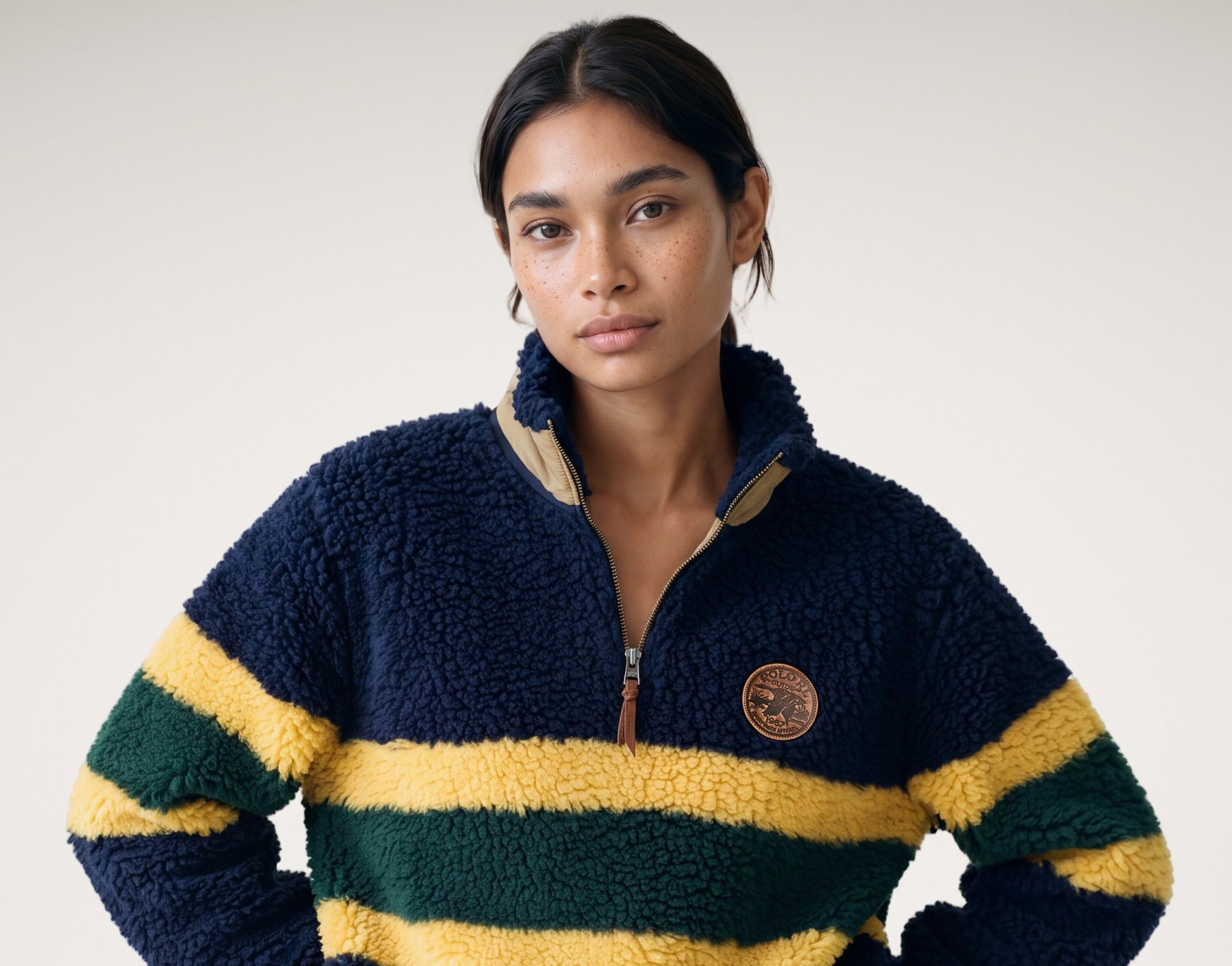
The problemOne wrong logo can make the whole image unusable
In this series, we take on the ten problems that stand between an AI image and one you can publish. This time, we’re looking at logos and details, the kind of errors that often only become obvious when someone zooms in.
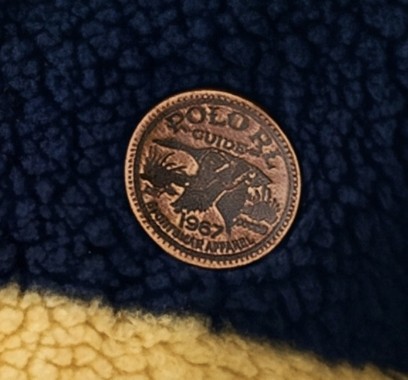
AI image models have become good at recreating the overall appearance of a garment. Exact text, small logos and intricate details are a different challenge. A letter may shift, a symbol may be simplified, or a label may no longer match the real product.
In fashion ecommerce, these are not cosmetic errors. A product image is expected to show the item a customer will receive. If a brand mark or garment detail is inaccurate, the image may fail both product-accuracy and brand-approval checks.
Regenerating the whole image in the hope that the logo will be correct introduces another problem: the pose, fit or lighting may change along with it.
How Weon solves itCorrect the detail. Preserve the image.
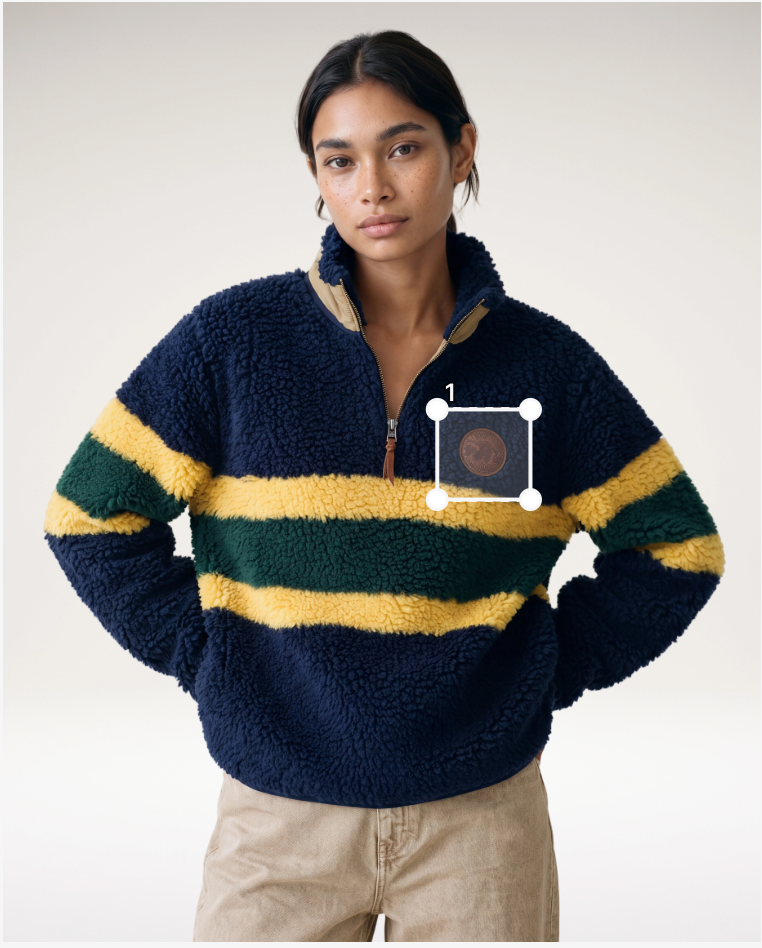
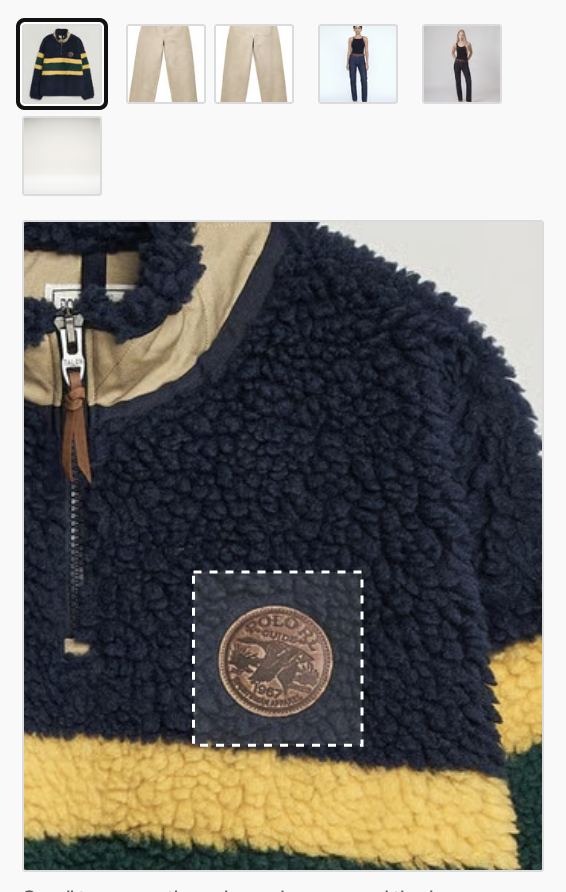
Weon approaches this as a targeted correction rather than a new photoshoot. The area that needs to change is selected, and the correct logo or detail is provided as a reference.
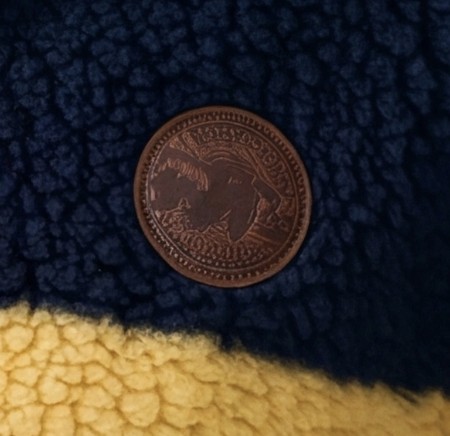
Advanced inpainting then works on that local area. The objective is to restore the product detail without unnecessarily changing the rest of an otherwise approved image.
A selected correction area and a reference for the right mark are combined with AI inpainting. Manual area selection is part of the current process; automating this at initial generation is a future goal.
First, mark the part of the generated image that needs to change. Then, choose the correct detail from the original product packshot as the reference.
The seriesKilling the 10 pain points of AI fashion images
One problem per article: why it happens and how Weon Studio handles it. Next up is model looks fake.
See Weon Studio in action
Book a demo and our team will walk you through the studio. When you start, we’ll guide you until you know the platform.
Comparison examples and scores are from Weon’s AI Photoshoot market benchmark, where applicable.